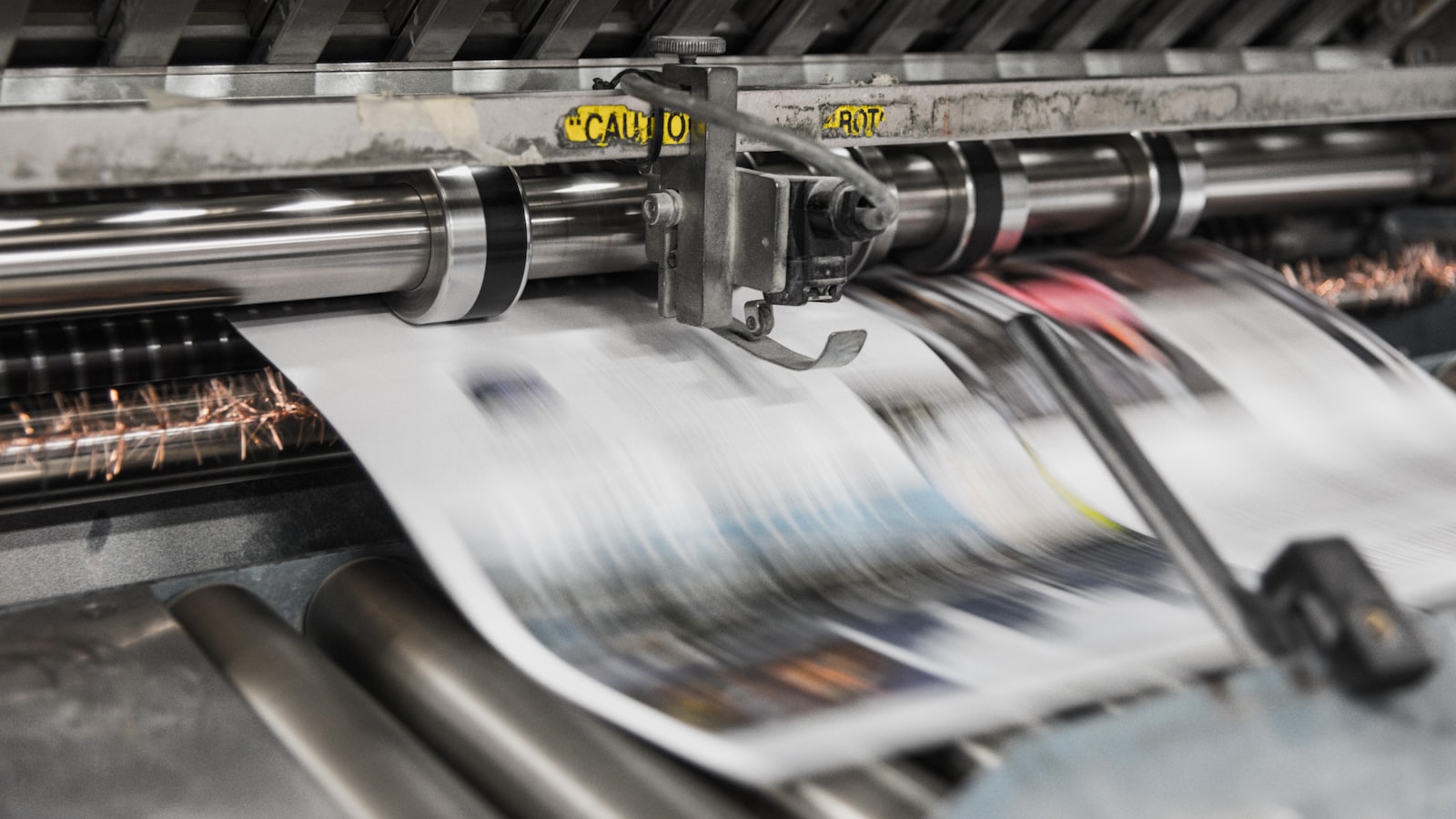
Offset printing is the method behind most high-volume, high-quality commercial print — the books, brochures, magazines, packaging and corporate reports that need consistent colour across thousands of copies. It’s also widely misunderstood by buyers, who often default to it (or away from it) without knowing where it actually wins. This guide explains how offset works, when it beats digital, and how to brief a job so it comes off the press the way you intended.
If you’re producing print at any scale in Singapore, knowing the offset-versus-digital trade-off will help you spend wisely.
How offset printing works
Offset is short for offset lithography. The name describes the clever bit: the inked image is never printed directly onto the paper. Instead it’s transferred (offset) from a metal plate to a rubber blanket cylinder, and from the blanket onto the paper. This indirect transfer gives a sharp, even, high-fidelity image and protects the plate from wear.
It relies on a simple chemistry — oil and water don’t mix. The image areas of the plate attract ink and repel water; the non-image areas do the reverse. Each colour needs its own plate, so a standard full-colour job uses four plates (CMYK), plus extra plates for any spot Pantone colours.
Because making plates takes time and cost, offset has a high setup but a very low per-copy cost. That single fact explains everything about when to use it.
Offset vs digital: where the cost break sits
This is the question every print buyer actually wants answered. The two methods cross over at a quantity break point:
- Digital printing has little to no setup — it prints straight from a file. That makes it cheaper for short runs, fast turnaround, proofs and any job where each piece varies (variable data).
- Offset carries the upfront cost of plates and make-ready, but once running, each additional copy costs very little. Beyond a certain volume, offset becomes dramatically cheaper per unit.
Where exactly the break sits depends on the size, stock and finishing of the job, so don’t guess — ask the printer to quote both ways at your quantity. As a rule of thumb, short runs and proofs lean digital; large runs and colour-critical work lean offset. For a business card order you might go digital; for ten thousand brochures, offset will usually win comfortably.
Why offset still wins on quality and volume
Beyond price-at-volume, offset holds genuine quality advantages for demanding work:
- Colour consistency across a long run — the press holds steady, so copy one matches copy ten thousand.
- Spot and Pantone colours printed as real, pre-mixed inks on their own plates — essential for exact brand colour, metallics and fluorescents that CMYK can’t reproduce.
- Wide stock range — offset handles heavier, textured, uncoated and specialty papers that some digital presses struggle with.
- Large sheet sizes suited to packaging, posters and multi-up imposition.
Paper, ink and finishing on press
Offset opens up the full toolkit of commercial print, which is part of why premium brands favour it:
- Stock — from lightweight text papers to heavy cover boards, coated (gloss/silk) for punchy colour or uncoated for a natural, tactile feel.
- Spot colours — define brand colours as Pantone spots for exact, repeatable reproduction.
- Finishing — lamination, spot UV, foil stamping, embossing, debossing and die-cutting are all standard offset companions, usually applied after printing.
These choices are design decisions, not afterthoughts, and they belong in the brief from the start. Treating stock and finish as part of the branding and design work — rather than something the printer decides — is what separates considered print from generic print.
Preparing a press-ready file for offset
Offset is unforgiving of file errors because a mistake is multiplied across the whole run. Get the prepress right:
- Work in CMYK, with images at 300dpi at final size.
- Include 3mm bleed and crop marks on anything that prints to the edge.
- Use rich black for large solid areas and 100% K for small text; never use registration black for artwork.
- Define spot colours as spot (not process) and name them consistently so they separate to the right plates.
- Export a PDF/X press-ready file with fonts embedded, and confirm the printer’s preferred version and settings first.
- Approve a proof — ideally a hard proof on your final stock — before the press run starts. Once the plates roll, changes are expensive.
You can see the printed results of this approach across our portfolio of branding projects.
Frequently asked questions
Is offset printing always more expensive than digital?
No — it depends entirely on quantity. Offset has a high setup cost (plates and make-ready) but a very low per-copy cost, so for short runs digital is cheaper and for large runs offset is cheaper. The two cross over at a break point that varies by job, so ask your printer to quote both methods at your specific quantity.
When should I choose offset over digital?
Choose offset for higher volumes, colour-critical brand work, exact Pantone or metallic spot colours, heavier or specialty stocks, and large sheet sizes. Choose digital for short runs, fast turnaround, proofs and variable-data jobs where each piece differs.
What file format do offset printers want?
A press-ready PDF/X file in CMYK (plus any spot colours), with images at 300dpi, fonts embedded, 3mm bleed and crop marks, and rich black used correctly. Always confirm the printer’s preferred PDF/X version and exact settings before exporting, since requirements vary slightly between presses.
Producing brochures, reports or packaging at volume? We design and prepare press-ready files and liaise with the printer so offset runs come out right. Talk to us about your project.